Privacy Policy Online

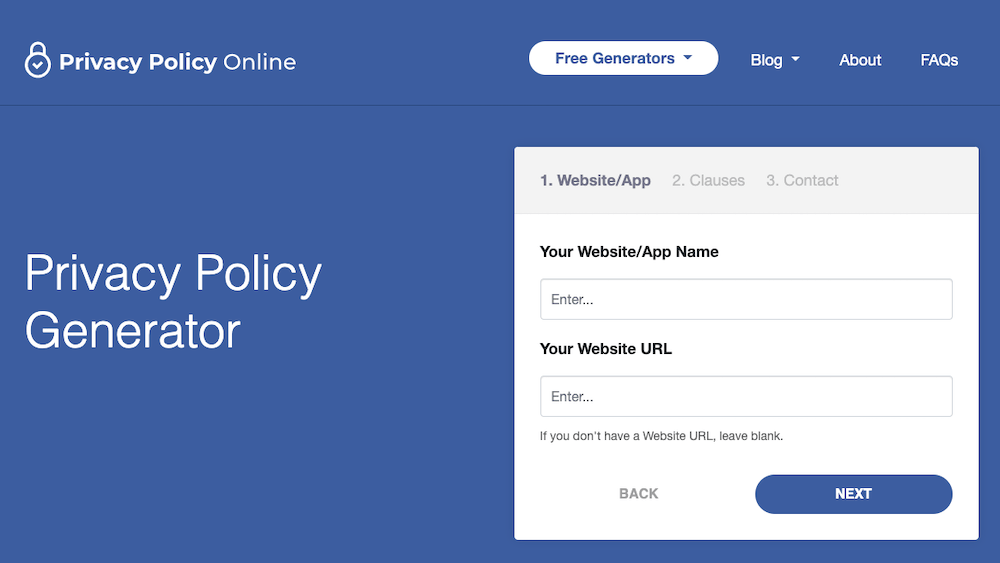
Generate a Privacy Policy for your site.

  • Home
  • TOS Generator
  • Articles
  • About
  • Privacy Policies
  • FAQ

Recent Articles / Tools
  • W3C Announces New Privacy Policy Standard
  • Privacy Video
  • Terms of Service Generator
  • Disclaimer Generator
  • Email Encryption Generator

Privacy Video

We are assembling a collection of privacy videos for our visitors to peruse to learn quickly about Online Privacy.

Google has prepared some excellent quality videos that explain some of these concepts clearly and in an expeditious fashion. We recommend that you watch these to learn more about online privacy.


Google’s Privacy Overview:


Google’s video explanation about “Cookies”:


Google Dashboard:

July 14, 2011 · Uncategorized ·

Flash Cookies

The University of California at Berkely discovered that a large number of the web’s most popular sites are surreptitiously using a particularly sneaky cookie without informing users in their privacy policies. (SOURCE)

Everybody knows all about standard browser cookies, but Flash cookies are relatively unknown to most web users. Worse still, they are not controlled through the cookie privacy controls in a browser. So then even if a user believes that they have cleared their computer of all cookie like tracking objects, they most likely have not if they have visited a site that uses Adobe’s Flash cookie.

If you think that’s sneaky…

Several services were even using this surreptitious data storage to reinstate traditional cookies that a user deleted, which is called ‘re-spawning’ the report found. Like a bad zombie in a “B” movie, such cookies come back again and again even after you have used your best weapons to kill them. So even if you got rid of a website’s tracking cookie, that cookie’s unique ID will be assigned back to a new cookie again using the Flash data as the “backup.”

Even the government website, Whitehouse.gov showed up in the report, with researchers reporting they found a Flash cookie with the name “userId.” Whitehouse.gov does say in its privacy policy that it uses tracking technology but it does not mention Flash or tell users how to get rid of the Flash cookie. You like it when the government snoops on you, right?

The funny thing is that the Berkely study was to be used in the government’s proceeding about the use of cookies on federal websites. Federal websites have traditionally been banned from using tracking cookies, despite being common around the web — a situation the Obama administration wants changed.

Congress and federal regulators are looking at ways of controlling the online tracking and advertising industry, whom they feel have failed to make the industry transparent about when, how and why it collects data about internet users. Strangely enough, the government has done no better at this.

Third party advertising networks have previously agreed to a voluntary code of conduct. The code they proposed prohibits little and has no enforcement mechanism. So even with regard to sensitive health information, advertisers are free to collect as much information as they please, just as long as it does not involve an actual prescription.

Berkely’s Chris Hoofnagle, the Director of Information Privacy Programs at the Berkeley Center for Law and Technology tested the top 100 sites to see what their privacy policies said, what their tracking technology actually does and what happens if a user blocks the Flash cookie.

The 2009 study found that 54 of the top 100 Internet sites set Flash cookies, which vary from simply setting audio preferences to tracking users by a unique identifier. Some of these sites merely handle innocuous and useful functions, such as remembering the volume level you preferred when you watched a video or listened to song.

Adobe’s Flash software is installed on an estimated 98 percent of personal computers. Some of the web’s most popular sites depend upon it, such as YouTube, Facebook and Hulu. Every time you see a YouTube video, you are using Flash.

Adobe’s Flash cookie lets a site store up to 100K of information. That’s about 25 times more than what a browser cookie can hold. Pandora.com uses the Adobe Flash cookie’s storage capability to preload portions of songs or videos to deliver smooth and fast playback.

All modern browsers include controls that let users decide what cookies to accept and which to eliminate. Flash cookies are handled differently and do not abide by these rules or controls. These are fixed through a web page on Adobe’s site, where the controls are not easily understood (There is a panel for Global Privacy Settings and another for Website Privacy Settings — the difference is unclear). In fact, the controls are so odd, the page has to tell you that it is the control, not just a tutorial on how to use the control.

Defenders of behavioral ads say that privacy shouldn’t be a concern since cookies really identify a browser, not a person. Moreover, they argue that users would prefer to have relevant ads. Targeted Behavioral Ads could also help save online journalism. Under this theory, Google text ads don’t work on a news story about the governor raising the sales tax, since there’s no product that goes with that context. But if the site knew the reader was in the market for a car, it could show an ad for the new Lexus and earn much more.

Tools:

Users who want to control or investigate Flash cookies have several options:

Windows:

  • Better Privacy extension for Firefox
  • Ccleaner

Mac OS X:

  • Flash Cookie Removal Tool for Mac

Where to find your sneaky flash cookies:

  • Windows: LSO files are stored typically with a “.SOL” extension, within each user’s Application Data directory, under Macromedia\FlashPlayer\#SharedObjects.
  • Mac OS X: For Web sites, ~/Library/Preferences/Macromedia/FlashPlayer. For AIR Applications, ~/Library/Preferences/[package name (ID)of your app] and ~/Library/Preferences/Macromedia/FlashPlayer/macromedia.com/Support/flashplayer/sys
  • GNU-Linux: ~/.macromedia
July 4, 2011 · Uncategorized ·

Site Monetization

With all of these resources for Site Monetization, we are being asked which networks are the best for monetizing your website. The leader of the market and 900 pound Gorilla – so to speak – is Google Adsense.

But Adsense is not the only way to monetize a site. Here is a list of over 100 ways you can monetize your website. Be sure to use the correct Privacy Policy so as not to violate your parters’ TOS (Terms of Service).

Text Link Advertising

LinkWorth – Keep up to 70% of the ad revenue.
Text Link Brokers – Make money buy selling links in a directory on your site.
Live Customer – Static HTML ads with flat monthly rates.
LinkAdage – Matches advertisers with publishers
Direct-Link-Ads – Keep up to 75% of the ad revenue.
PaidTextLinks – A smaller text link program.
Kontera – Create contextual links automatically.
AdSter – Customize your ads to match your website.
Vibrant Media – Vibrant in-text advertising.
TextAd.biz – Basic text ad service.
SearchFriendlyAds – Not live yet.
YzMedia – Another text link option.
Backlinks.com – Get paid for backlinks on your site, you can sell sitewide links or subpages. Priced by pagerank.

Direct Sales

KickStartCart – A shopping cart, merchant account and marketing tools.
EasyStoreCreator – Provides a package that includes hosting, merchant account integration, and shopping cart.
1ShoppingCart – Offers different packages with marketing tools, shopping carts and merchant accounts.
ASecureCart – An affordable shopping cart service
NetSuite – Full e-commerce option.
GotShoppingCart? – Free version available.
3D Cart – Includes marketing, statistics and more.
Americart – 30-day risk-free trial.
MonsterCommerce – Full of features.

PPC

Google AdSense – Adsense is the most popular PPC network as well as one that can deliver the most revenue.
Yahoo Publisher Network – Yahoo’s AdSense alternative.
Chitika – eMiniMalls is not a typical PPC program, it is different kind of pay-per-click product promotion.
Kanoodle – A second-tier PPC option as opposed to Google and Yahoo.
Ads-Click – You set the price per click for ads showing on your site.
AdBrite – Control and customization options.
ABC Search – Another 2nd-tier option.
BidVertiser – Large network PPC program.
Clicksor – Contextual ads program.
Qads – Ad program from Qumana.
PeakClick – Pays in Euros.
DoubleClick – Another targeted PPC
option.
RevenuePilot – Keep 60% of the revenue.
Search Feed – Another option for targeted PPC ads.
Targetpoint – For publishers of all sizes.
OneMonkey – Keep 80% of the revenue.
Miva MC – PPC ads plus the option for contextual PPD ads.
ClickBooth – Claims to have the highest payout in the industry.

Banner Ads

AdEngage – Not a typical banner ad, the’re photo ads with text.
AdDynamix – Also offers other options besides just banners.
BannerBoxes – Your keep 75% of the revenue from each click.

Affiliate Programs

Commission Junction – One of the leaders. Manages affiliate programs for all kinds of products.
Click Bank – All downloadable affiliate products.
LinkShare – Claims to be the largest pay-for-performance affiliate marketing network.
Azoogle Ads – Also claims to be the largest performance-based online advertising network.
Amazon – One of the oldest and most successful affiliate programs.
Context Links for Amazon’s Affiliate Program – Auto creates affiliate links to Amazon’s products.

Paid Reviews

ReviewMe – Get paid to review other websites and blogs.
PayPerPost – Make money writing about website, products, services and companies.

Parked Domains

Revenue Direct – Make money from a parked domain.
Parked – Another option for parked domains.

Random/Various

The News Room – Make money by placing news items on your site.
Tribal Fusion – Represents the advertising for selectively approved websites.
IndustryBrains – Has a few different options that would fall into various categories above.
Adknowledge – Options for email, web, and search engine inventory.
Yesadvertising – Lots of options, including contextual ads, email, banners and pop-unders.
ValueMedia – Several different options, including video.
Auction Ads – Make money by displaying Ebay items.
IntelliTXT – Contextual ads that include video.
PremierAd – Lots of different options. You keep 80% of ad revenue.
BurstMedia – A variety of different options.
Advertising.com – Multiple options, including video ads.
Openads – Online advertising software.
Casale Media – You choose what type of ads you want on your site.
VC Media – CPC or CPM options.
Ads by RSS – Places ads on your website, using RSS.
AdSpaceAuctions – Sell ad space on your website through an auction.
TextMarks – Monetize your blog with text message alerts.

Sell Ad Space

AdSonar -Provide content-targeted ads.
BlogAds – You control the ads that appear on your site.
Crisp Ads – name your price for direct sponsors.
ADSDAQ – Choose your asking price for ads and ADSDAQ matches you with advertisers.
AdVolcano – Set your own prices and ad sizes.

RSS Feed Monetization

Pheedo – PPC for RSS feeds.
PostPostWordPress Plugin – Display affiliate links or ads before or after your feeds (other uses beside just advertising).
Feedvertising – Runs txt link ads in your feed.
FeedBurner Ads –
MediaFed – Automatically inserts ads into your feed.
FeedShow – Puts PPC ads into your feed.
Fedafi Publishing Network – Monetize your feed with the Fedafi WordPress plugin.
Yahoo Publisher Network – PPC ads in your feeds.

Job Boards

Joards – Put a job board on your site and keep 75% of the revenue.
Job-a-matic – Another option for making money with a job board.

WP Plugins

AdSense-Deluxe – Embed AdSense or Yahoo Publisher Network ads into your blog.
AdSense Sharing Revenue and Earnings System – A plugin for blogs that have multiple writers. Let each of your writers make money from ads on their own posts.
AdSense Injection – Inject AdSense ads throughout an existing blog.
Google AdSense Referral Rotator Plugin – Make money by referring other users to AdSense.
Amazon Media Manager – Easily ad Amazon affiliate products to your blog.
WP-Amazon – Quickly search for products and add Amazon affiliate links while writing your posts.
Last Amazon Review Plugin – Displays your most recent review of a product listed on Amazon and includes your Amazon affiliate link.
Text Ads Link Widget for WordPress Sidebar – A simple widget that makes it easy to display text ads in your sidebar.
WPAds Plugin – Show and rotate ads on your blog.
AdRotator Plugin – Randomly rotates ads that you choose.
WP E-commerce Shopping Cart Plugin – Creates a shopping cart with tons of features and options for your WP blog or website.
EasyPayPal WordPress Plugin – Integrates your blog and your PayPal account to accept donations or fees.
Buy Me a Beer Plugin – Accept donations from your readers by asking them to buy you a beer (or coffee) if they liked your post.
CafePress – Sell your own products on your blog.
YAK – Simple shopping cart plugin.
WidgetBox Geographical
Captain Ad

July 4, 2011 · Uncategorized ·

What is a Privacy Policy?


A privacy policy is a legal document that discloses some or all of the ways a website gathers, uses, shares, discloses and/or manages a website visitor’s data. The exact contents of a privacy policy will depend upon the applicable law and may need to address the requirements of multiple countries or jurisdictions. Many advertising networks require their partners to publish a Privacy Policy on their website. There is no universal one-shot catch-all Privacy Policy for all uses, but most visitors to this site are primarily interested in the Privacy Policy required by publishers using Google Adsense’s PPC (Pay-Per-Click) program.

The European Union’s Directives

In 1995 the European Union (EU) introduced the Data Protection Directive for its member states. As a result, many organizations doing business within the EU began to draft policies to comply with this Directive. In the same year the U.S. Federal Trade Commission published the Fair Information Principles, which provided a set of non-binding governing principles for the commercial use of personal information. While not mandating policy, these principles provided guidance of the developing concerns of how to draft privacy policies. Both the EU and US Governments are worriedly preparing to legislate rules and regulations regarding privacy on the Internet.

FTC Fair Information Practice

There are four critical issues identified in Fair Information Practice:

  1. Notice – data collectors must disclose their information practices before collecting personal information from consumers
  2. Choice – consumers must be given options with respect to whether and how personal information collected from them may be used for purposes beyond those for which the information was provided
  3. Access – consumers should be able to view and contest the accuracy and completeness of data collected about them
  4. Security – data collectors must take reasonable steps to assure that information collected from consumers is accurate and secure from unauthorized use.

In addition to the above, the principles elaborate the need for enforcement mechanisms to impose sanctions for noncompliance with these fair information practices.

Current enforcement in the United States.

The United States does not have a federal regulation establishing the implementation of privacy policies. Congress is considering comprehensive laws regulating the collection of information online, such as the Consumer Internet Privacy Enhancement Act and the Online Privacy Protection Act of 2001, but none have been enacted.

In many cases, private parties enforce the terms of privacy policies by filing class action lawsuits, which may result in settlements or judgements.

Applicable US law

While no generally applicable law exists, some federal laws govern privacy policies in specific circumstances, such as:

  • The Children’s Online Privacy Protection Act (COPPA)
    This law affects websites that collect information about or target at children under the age of 13. Any such websites must post a privacy policy and adhere to enumerated information-sharing restrictions. COPPA includes a Safe Harbor provision to promote industry self regulation.
  • The Gramm-Leach-Bliley Act
    This requires that institutions “significantly engaged in financial activities” give “clear, conspicuous, and accurate statements” of their information-sharing practices. The Act also restricts the use and sharing of financial information.
  • Health Insurance Portability and Accountability Act (HIPAA) Privacy Rules
    This requires notice in writing of the privacy practices of health care services. This requirement also applies if the health service is electronic or online.

The Internet Privacy Act
There is no such thing as “The Internet Privacy Act”. The Internet Privacy Act is a non-existent law cited by websites that conduct illegal activities in an attempt to scare off organizations or regulators that look to prosecute such activities. Networks, search engines and torrent sites which share or pirate music, films and software, for example, will often display the fictitious act in an attempt to protect themselves from arrest by being able to claim entrapment in court. In the statement, websites try to claim that it prevents organizations which may be associated with anti-P2P (Peer-To-Peer) or government organizations from entering the site or network as it would breach the terms of the act. Nobody is really fooled by this, least of all, law enforcement.

According to the statement which many sites display, it was signed by Bill Clinton in 1995, but in reality he never signed the act as it never existed.

You can see this or similar text on many such piracy sites:


If you are affiliated with any government, police, anti-piracy group or other related group or working for Adidas, Manolo Blahnik, Converse, Louis Vuitton, Chanel, Burberry, Hermes, Prada, Air Jordan, Nike, Timberland, Gucci, Cartier, Oakley either directly or indirectly, or any other related group, or were formally a worker, you CANNOT enter these web pages, links, nor access any of its files and you cannot view any of the HTML files. If in fact you are affiliated or were affiliated with the above said companies, by entering this site you are not agreeing to these terms and you are violating code 431.322.12 of the Internet Privacy Act signed by Bill Clinton in 1995 and that means that you CANNOT threaten our ISP(s) or any person(s) or company storing these files, and cannot prosecute any person(s) affiliated with this website.


US State Laws
Some states have implemented more stringent regulations for privacy policies. The California Online Privacy Protection Act of 2003 – Business and Professions Code sections 22575-22579 requires “any commercial web sites or online services that collect personal information on California residents through a web site to conspicuously post a privacy policy on the site”.

Nebraska and Pennsylvania also have laws treating misleading statements in privacy policies published on Web sites as deceptive or fraudulent business practices.

The European Union

There are significant differences between the EU data protection and US data privacy laws. These standards must be met not only by businesses operating in the EU, but also by any organization that transfers personal information collected concerning citizen of the EU. In 2001 the United States Department of Commerce worked to ensure legal compliance for US organizations under an opt-in Safe Harbor Program. The FTC has approved eTrust to certify streamlined compliance with the US-EU Safe Harbor.

Online Privacy Certification Programs

Online Certification or “Seal” programs are an example of industry self-regulation of privacy policies. Seal programs usually require implementation fair information practices as determined by the certification program and may require continued compliance monitoring. TRUSTe, was one of the first online privacy seal program, with thousands of members. Other online seal programs include the Trust Guard Privacy Verified program, eTrust, and Webtrust.

Technical implementation

Some websites also define their privacy policies using P3P or the Internet Content Rating Association (ICRA), allowing visitors to automatically assess the level of privacy offered by the site, and allowing access only when the sites’ privacy practices are in line with the users’ privacy settings. These technical solutions do not guarantee that the websites actually follows the claimed privacy policies. For this to work, users would need to have a minimum level of technical knowledge in order to configure their own browser privacy settings. That is primarily why these types of privacy policies have not caught on.

July 4, 2011 · Uncategorized ·

What Are Cookies?

Also known as browser cookies or tracking cookies, cookies are small, usually encrypted text files, located in your browser’s directory. They are used by publishers on the Internet to help users navigate websites and perform certain functions. Thanks to their core role of enhancing usability or site functions, completely disabling cookies may prevent users from using certain websites. This is how some sites know when you return and keep you logged in, or will display a particular page that you like. Often a cookie may be used to show some content only once – say a popup or popunder or some other advertisement that shows only the first time you visit a site and not every single time you change pages or revisit.

Cookies are created when your browser loads a particular website. The website sends information to the browser which then creates a text file. Every time the user goes back to the same website, the browser retrieves and sends this file to the web server. Cookies are created not only by the website that the user is browsing at any particular moment, but also by other websites that run ads, widgets, or other page elements. These cookies govern how the ads appear or how the widgets and other elements function on the page.

Standard uses for browser cookies

Websites set cookies to help authenticate a user if the user logs into a secure area of a website. Login information or credentials are stored in a cookie so that the user may enter and exit the website without having to re-type the same login information over and over again.

Session Cookies

Session Cookies are used by the web server to store information about user page activities so users can easily pick up where they left off on the server’s pages. Without using such cookies, a webpage can not ‘remember’ where you were on your last visit – this can only be done with the use of session cookies. Session Cookies tell the server what pages to show the user so the user doesn’t have to remember where he/she left off or start navigating the site all over again. Session Cookies function almost like a “bookmark” when used on such a site. Similarly, cookies can store ordering information needed to make shopping carts work instead of forcing the user to remember all the items the user put in the shopping cart. This is very useful if your system experiences a disruption in connectivity or your computer ‘crashes’ while you are in thr process of filling a shopping cart.

Persistent or tracking Cookies

Persistent Cookies store user preferences. Many websites allow users to customize exactly how information is presented through site layouts or themes. These customizations make the site easier to navigate and/or lets user leave a part of the user’s “personality” at the site.

Cookie security and privacy issues

Cookies are NOT viruses. Cookies use a plain text format. They are not compiled pieces of code so they cannot be executed nor are they self-executing. Accordingly, they cannot make copies of themselves and spread to other networks to execute and replicate again. Since they cannot perform these functions, they fall outside the standard virus definition.

Cookies CAN be used for malicious purposes though. Since they store information about a user’s browsing preferences and history, both on a specific site and browsing among several sites, cookies can be used to act as a form of spyware.

The way responsible and ethical web developers deal with privacy issues caused by cookie tracking is by including clear descriptions of how cookies are deployed on their site. Privacy Policy Online strives to help web developers generate clear and easy-to-understand information for web publishers to include on their web pages.

Privacy Policy Online

The simplest way to ensure that your site complies with the latest regulations is to use the generator at Privacy Policy Online. This will generate a fast and accurate Privacy Policy.


Google’s video explanation of “Cookies”:


Google on Cookies:

July 1, 2011 · Uncategorized ·

Articles +/-

  • W3C Announces New Privacy Policy Standard
  • Privacy Video
  • Flash Cookies
  • Site Monetization
  • What is a Privacy Policy?
  • What Are Cookies?
  • COPPA
  • Privacy Policy Information
  • Email Encryption Generator

Sponsors +/-

More Tools +/-

  • meta tag generator Generate Faviconrobots generator

Resources +/-

  • iFrame HTML Resources for iframes – all you need.
    JavaScript Search Search JavaScripts, find cool scripts for your site.
    Meta Tag Generator Generate meta tags for your site.
    Robots Generator Generate Robots.txt files for your site.
Privacy Policy Online

Archives +/-

  • November 2011
  • July 2011
  • April 2011
  • January 2011
  • July 2010

Contact · Privacy · Terms of Service · Copyright © 2013 Privacy Policy Online · Design: Luka Cvrk · Ported by GFXedit.com

RSS